Bookkeeping with Lex · for iPhone
Your bookkeeping, ready to go.
Receipts, invoices, hours and VAT in one place. Lex prepares it; you check it and file it yourself.
Not yet in your country's App Store
- App and Lex
- In 11 languages
- Start for free
- 10 receipts and 5 invoices a month
- Device
- For iPhone
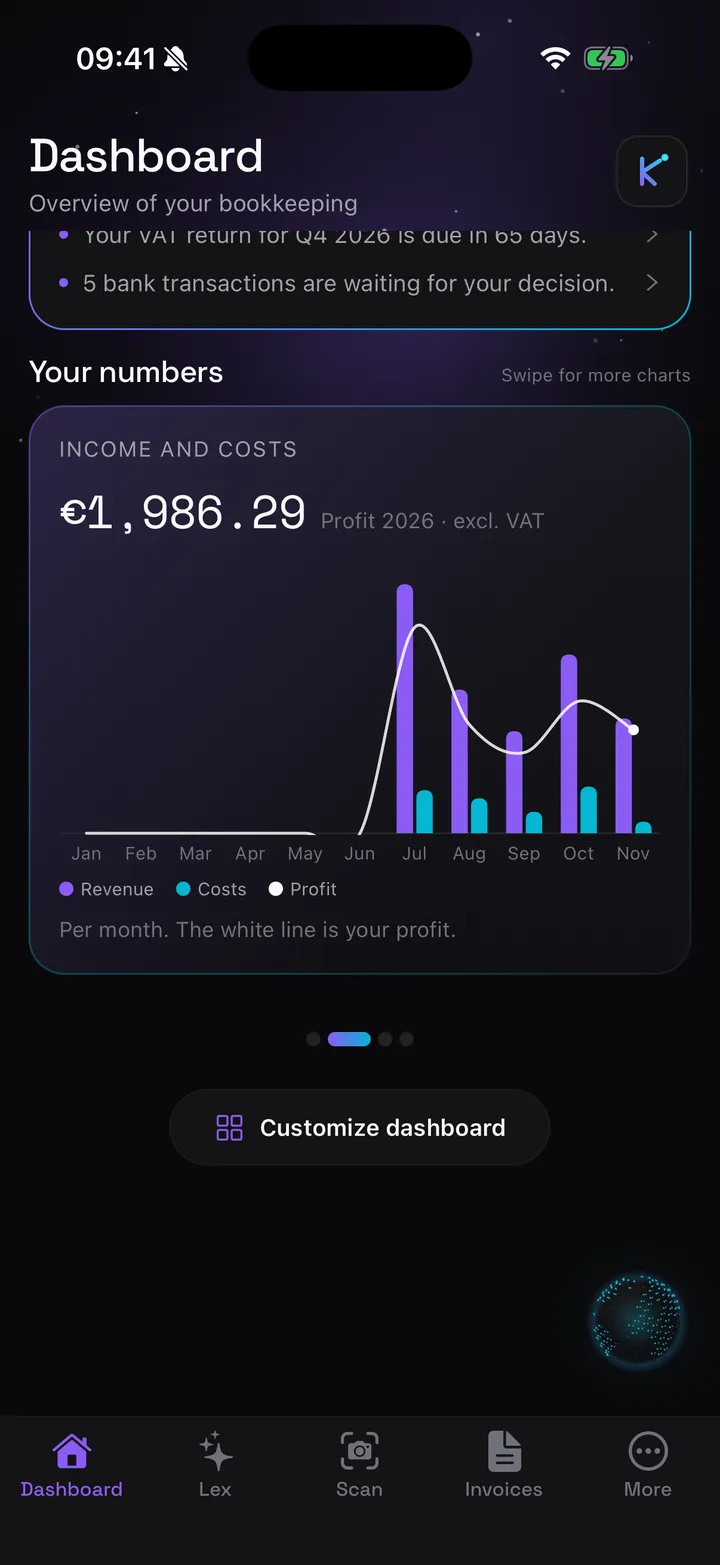
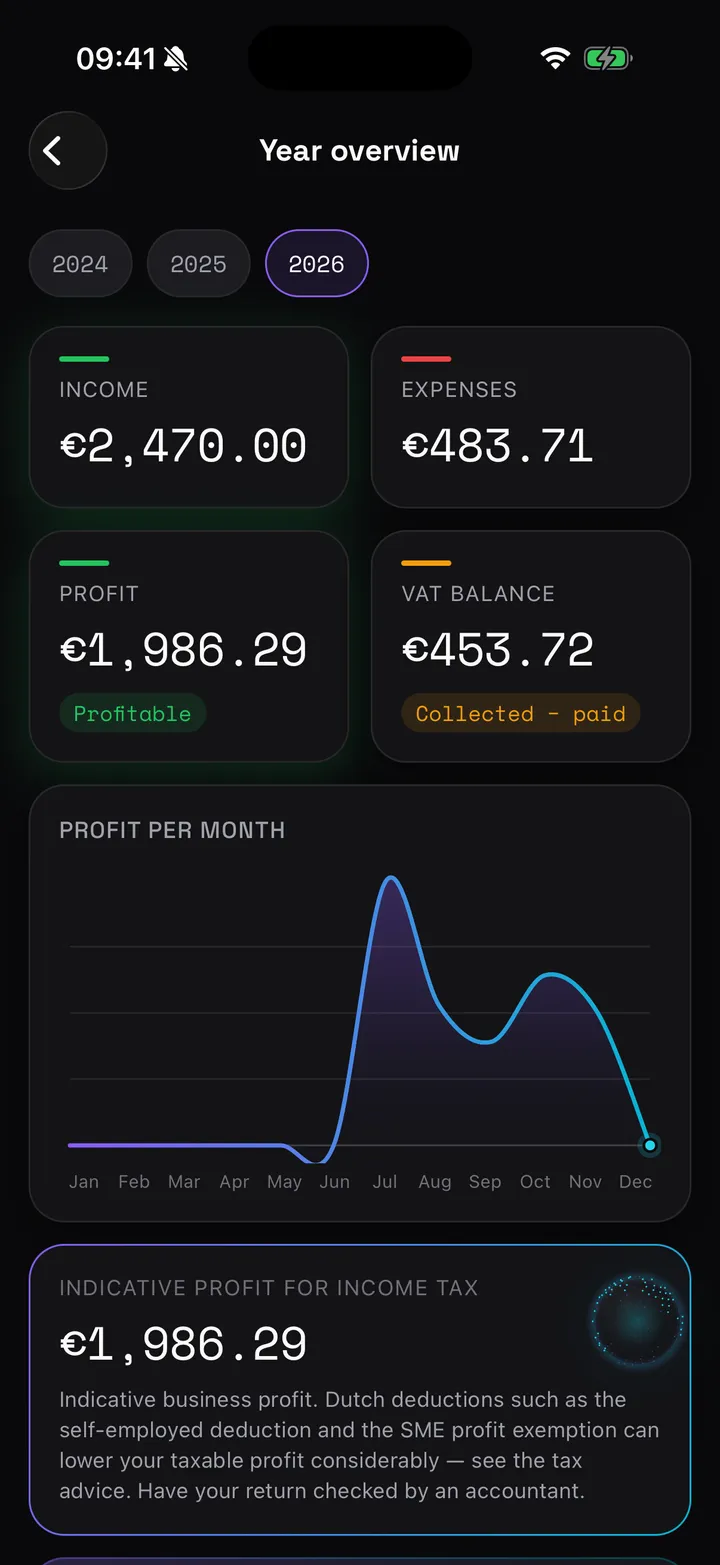
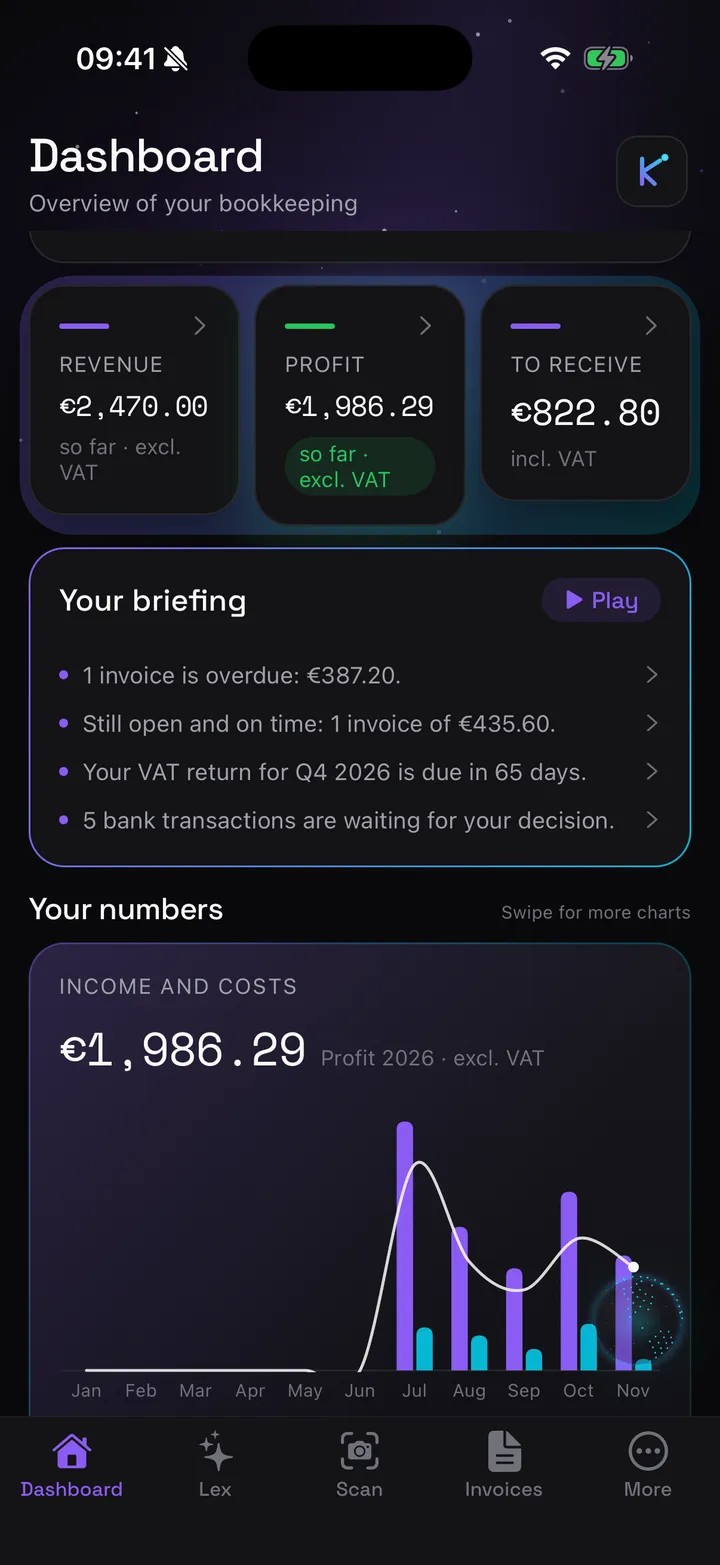
Real screens from the app
What Kova does, in short
- Scan receipts
- VAT overview
- Invoices
- Track hours
- Lex, your AI assistant
Why Kova exists
When you start working for yourself, you want to do your actual work. Not a shoebox full of receipts. No dreading a deadline four times a year. That is why Kova exists: your bookkeeping in plain language, with your own figures, without having to be a bookkeeper.
What Kova does
What Kova does
Four things that keep your bookkeeping in order. Every screen below comes straight from the app.
Scan receipts
One photo. Done.
Take a photo of your receipt. Lex reads the amount, the date and the VAT and gets it ready for you. You check it.
Example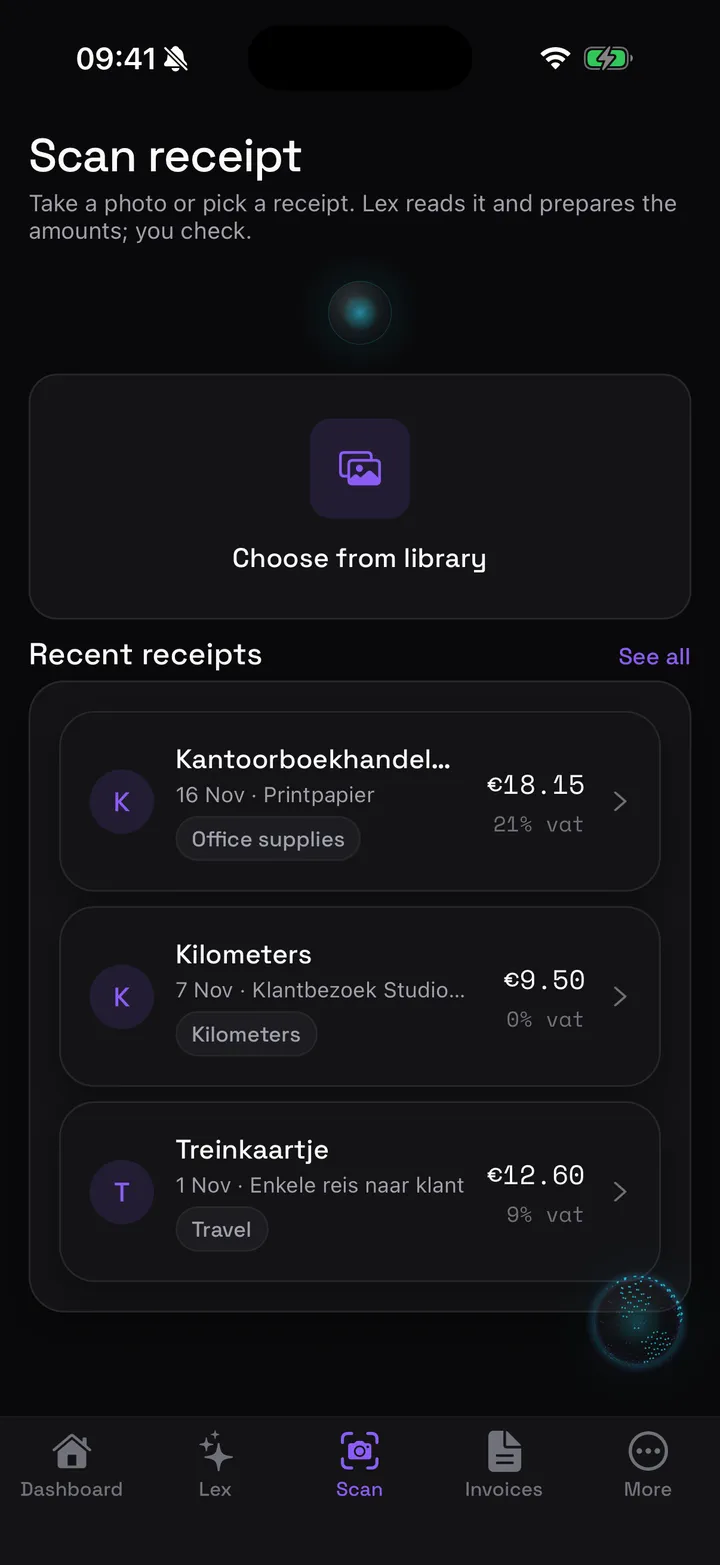
VAT overview
Know what you owe.
Each quarter you see what you pay or get back, built from your own receipts and invoices. You check it and file it yourself.
Example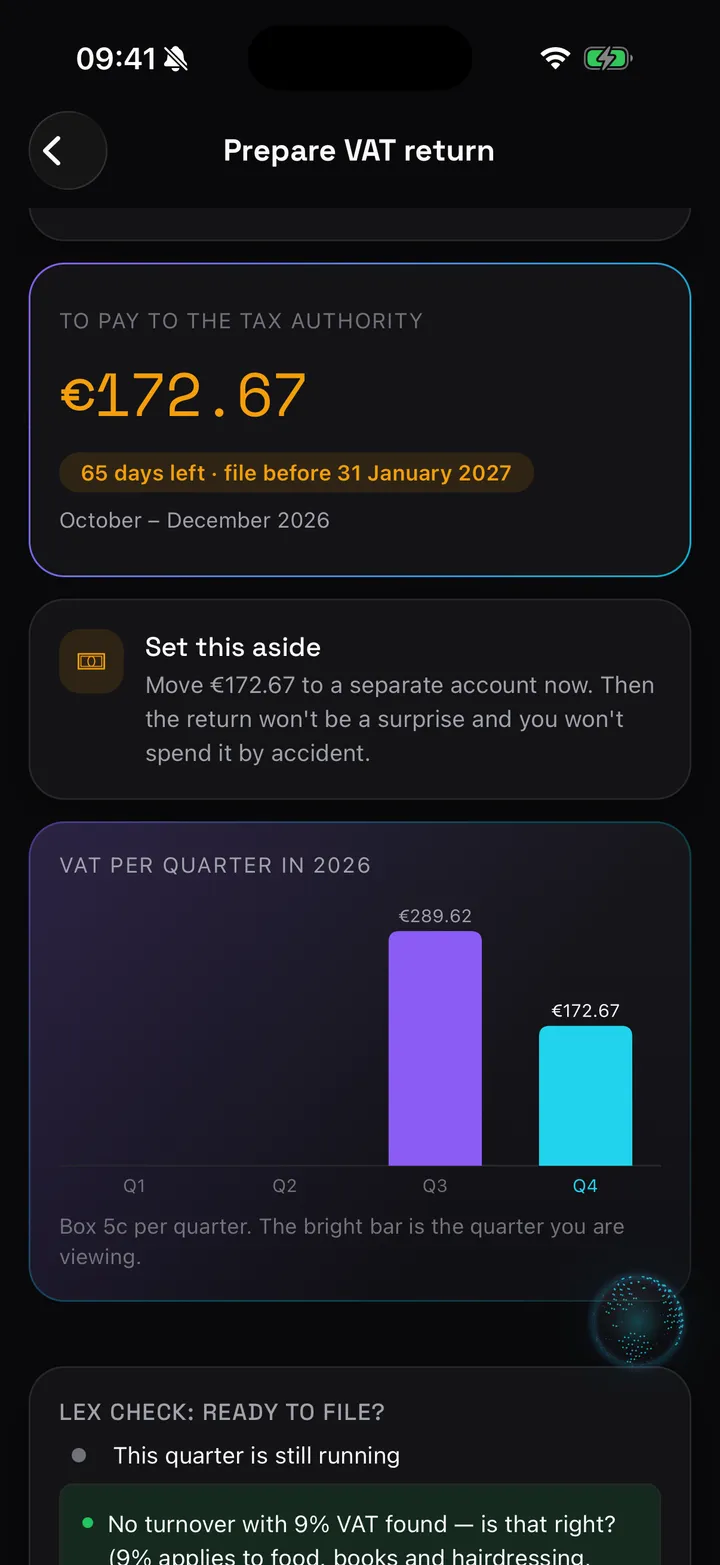
Invoices
Sent and tracked.
Create an invoice and see what is still unpaid. If a client is late, you send a reminder with one tap.
Example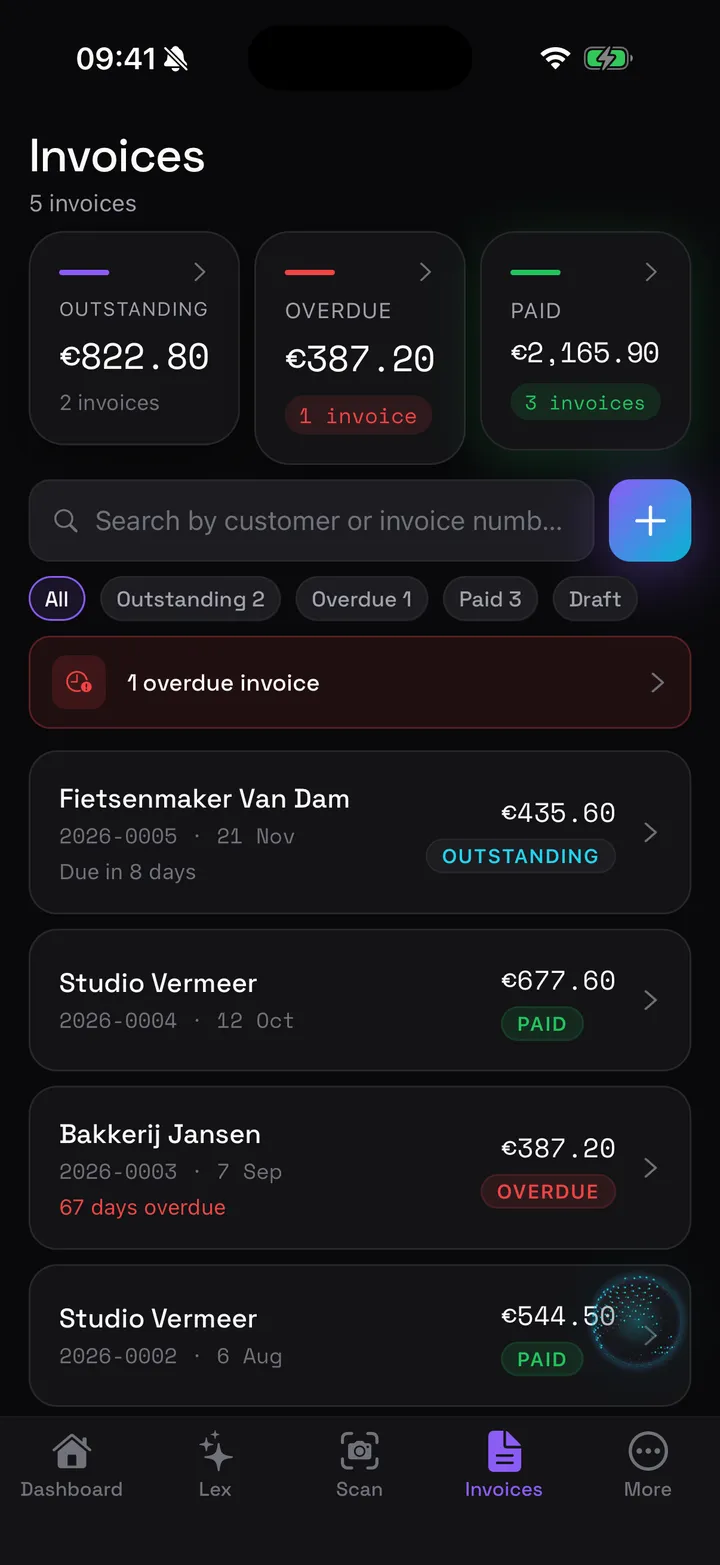
Lex
Ask in plain language.
How much VAT do I owe? Lex works with your own figures and explains how he got there.
Example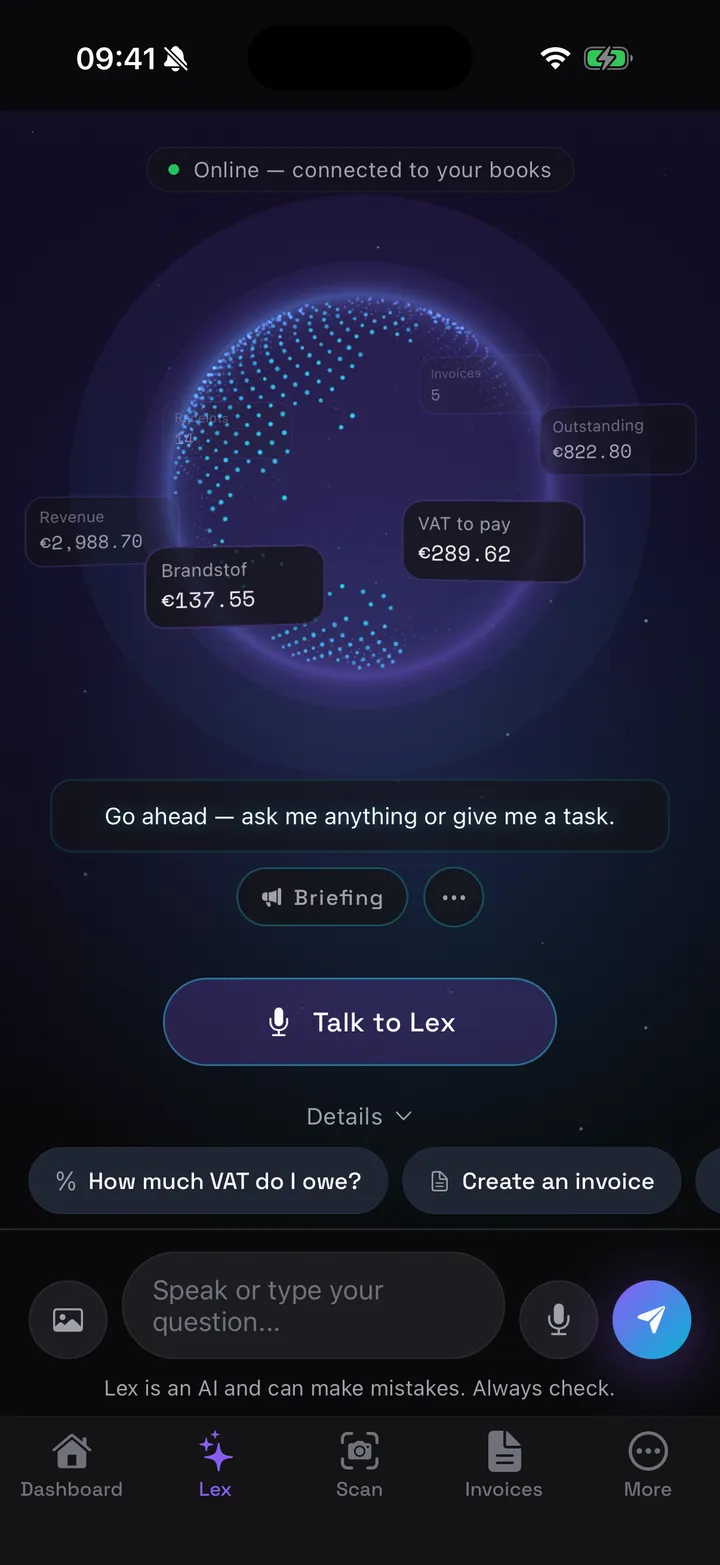
Also in Kova
- Hours Track your hours for the Dutch hours criterion (urencriterium).
- Bank Now: import your statements as a CSV file.
- Bank connectionComing soon Your bank linked automatically to your bookkeeping.
Who it's for
Who it's for
Freelancers and new businesses
Just starting out or years in: your receipts, invoices, hours and VAT in one place, no bookkeeping knowledge needed.
Expats
Running a business in a country whose forms are in a language you don't speak? The app and Lex work in 11 languages.
Bookkeepers and firms
No more loose photos and folders: your client delivers their bookkeeping as one file.
Pricing
One price
Everything Lex can do, in one subscription. Stop whenever you want.
You decide: stay free, take Pro, or stop whenever you like.
Free
Prefer to start free? You can: 10 receipts and 5 invoices per month, and 3 questions to Lex per day.
What you get
- 10 receipts a month
- 5 invoices a month
- 3 questions to Lex a day
Pro
All of KovaPrice as shown in your country's App Store
Free to start · Pro via Apple · cancel any month in your Apple Account
What you get
- Receipts, no monthly limit
- Invoices, no monthly limit
- Lex 24/7 (chat + voice)
And also
- Quarterly VAT reports
- CSV import · bank connection coming
- Everything in one file for your accountant
Not yet in your country's App Store
Questions about the price
Cancel monthly in your Apple Account.
Then cancel in your Apple settings (Settings › your name › Subscriptions), at least 24 hours before the end of the current period.
You can use Kova AI for free, with a limited number per period: 10 receipts and 5 invoices per month, and 3 questions to Lex per day.
When you reach a limit, you can continue in the next period. Your data stays where it is.
For business use. All prices include VAT.
For business use. All prices include VAT. Kova is not an accountant or tax adviser: Lex prepares it, you check it and file it yourself.
Lex
Lex, your AI assistant
Waiting for you
You ask
How much VAT do I owe?
Lex is looking
- Looking up your invoices…
- Looking up your receipts…
- Checking your VAT…
VAT Q4 2026
€1,240.00 Example
to pay
- VAT on your invoices€1,890.00
- VAT on your receipts€650.00
- File by31 Jan 2027
Source: Your records
Lex is an AI · general info, not personal advice
The difference
From receipts to one line.
Without LexWith LexSupermarkt De Hoek€48.40 VAT €4.00 Example
Listens
You talk or type.
How much VAT is on my receipt from Supermarkt De Hoek?
Thinks
Looks it up in your numbers.
- Your receipts
- Your invoices
- The VAT rate
Answers
In plain language, with the source.
That receipt of €48.40 includes 9% VAT. That is €4.00.
Source: your own receiptExample
11 languages
The same question, in your language.
Hoeveel btw moet ik betalen?How much VAT do I owe?Wie viel MwSt muss ich zahlen?Combien de TVA dois-je payer ?¿Cuánto IVA debo pagar?消費税はいくら払う?Quanto IVA tenho de pagar?Quanta IVA devo pagare?我要交多少增值税?부가세를 얼마 내야 하나요?Berapa VAT yang harus kubayar?
You decide
Lex prepares. You check.
Receipt readyApprove
Lex is an AI and can make mistakes. He is not an accountant or tax adviser. He books nothing without your approval, and you do the filing yourself.
Trust
Lex doesn't guess. He looks it up.
Where his knowledge comes from, how we test him and what he never does.
What Lex learned from
Official sources, country by country.
- 32countries
- 10,322pieces of knowledge
- 1,614official pages
- Tax authorities
- Chambers of commerce
- Business portals
- Legislation
- Social security
He answers in your language: 11 languages. As of 18 Nov 2026, counted in Lex's knowledge base.
United States
USLex knows the rules from official sources
172 pieces of knowledge from 17 official pages
Most pieces from
- Internal Revenue Service (IRS)
- California Department of Tax and Fee Administration (CDTFA)
19 of 20 questions right
Trial test; Kova doesn't handle VAT here
Our own test from 13 Nov 2026, 20 questions, marked automatically. Not checked by a tax adviser.
Click a country
How an answer works
From question to answer, in four steps.
You askLex looks it upFixed code does the mathsYou decide
How Lex works259of 280
Tested · 13 Nov 2026
259 of 280 questions right on our own hidden exam.
Questions Lex had not seen beforehand, about the rules of 13 countries. 'I don't know' questions counted too.
Our own internal test, marked automatically. No tax adviser has reviewed it; Lex can make mistakes. That's why he shows his source and you decide.
Unlike an ordinary chatbot
Says so when he doesn't know.
If he finds no source, he fills in nothing from memory.
Doesn't do the maths himself.
Amounts come from fixed, tested code and your own figures.
Nothing without your approval.
Booking only happens after your tap, or through a rule you approved.
The globe shows what Lex is looking at.
In the latest version of the app you see, while he works, what he is doing, what he found and where it comes from.
Lex is an AI and can make mistakes. He is not an accountant or tax adviser. He prepares; you check and file yourself.
For firms
For bookkeepers and firms
Your client keeps their receipts and invoices in Kova. You get their bookkeeping as one file.
One CSV file
The complete journal, revenue and costs, in one file you open in Excel.
Per financial year
Your client can limit the export to one financial year.
Your client sends it
Your client creates the export in the app and sends it to you.
Security
Security and privacy
No promises — just what the code says.
Your bookkeeping is yours
Kova stores your bookkeeping — receipts, invoices, customers, hours and bank transactions — so that you can see it back, and nobody else can.
Where your data is
Your bookkeeping
EU — Ireland · Supabase
Your account and all of your bookkeeping: receipts, invoices, customers, hours, bank transactions, your conversations with Lex and the photos of your receipts.
The website
EU — Frankfurt · Vercel
Runs the website and the server routes. In doing so it sees technical data such as your IP address and which page you request.
The AI behind Lex
United States · OpenAI
To answer your questions and read your receipts, Kova sends that data to AI services, most of which are based in the United States; we ask for your consent first.

- Age
- 19
- Role
- Founder
- Builds with
- AI as a tool
- The app
- On the App Store
What I build with
Brand names belong to their owners. Kova is not affiliated with these companies.
 Claudebuilds the app and the site
 Cursorhelps build the app
 OpenAIthe brain behind Lex
 Grokmarketing and research
 ElevenLabsvoices in videos
The maker
I'm not a bookkeeper. That's why I built Kova.
I'm Miguel, 19. I'm not a programmer and I have no training in bookkeeping. I build Kova myself, with AI as a tool.
I stick to one rule: if I don't understand it myself, it doesn't go in. That's why Lex speaks plain language. You do your work, Lex gets your receipts, invoices and VAT ready, and you check and decide.
I promise nothing the app can't do today. What is still to come is marked Coming soon.
Questions
Frequently asked questions
Your data is stored in the EU, encrypted in transit and at rest, and visible only to you. We never sell it. To answer you, Lex sends your questions and receipt photos to AI services, some of them in the US. The privacy policy lists exactly which ones.
Kova takes over much of your day-to-day admin, but it does not replace an accountant or tax adviser.
No, not at all. You just talk to Lex in plain language — “how much VAT do I owe?” — and he explains it and gets it ready for you.
Yes, that’s exactly who it’s built for: freelancers and small businesses. VAT calculations currently follow the Dutch rules.
Yes. Cancel monthly in your Apple Account. The subscription renews automatically each month until you cancel.
Kova is an iPhone app. An Android app is coming soon.
For business owners aged 18 and over, for business use. All prices include VAT.
Questions about the price
After cancelling, Kova Pro stays active until the end of the period you already paid for. After that your account continues as a free account; your data stays where it is.
You can export everything at any moment, and delete your account for good with a single button.
There is no monthly limit: Pro doesn't count your receipts and invoices per month.
There is a daily safety limit, against misuse, for example if someone steals your account: 200 questions to Lex, 60 receipts read by the AI and 300 uses of the voice. The next day it works again.
You can send up to 50 invoices a day through Kova; above that, the email is ready in your own mail app.
Pro via Apple: you subscribe in the Kova app on your iPhone.
In the iPhone app the subscription runs through Apple (In-App Purchase).
Start today.
Download Kova for iPhone and scan your first receipt.